A Two-Minute Product Tour, Narrated by OpenAI's Voice
Nestled needed a walkthrough that shows both sides of the product in under two minutes. I did not record my screen and I did not record my voice. The narration was written, the voice was generated, and a browser drove the real site while a script filmed it.
Nestled is a daycare waitlist and matching platform. Families join their city’s waitlist once; daycares and dayhomes see who is looking and make real offers, with a start date and a monthly rate; families book a tour and say yes; Nestled invoices the provider a finder’s fee when a spot fills. Two sides, two dashboards, one story that only makes sense if you see both.
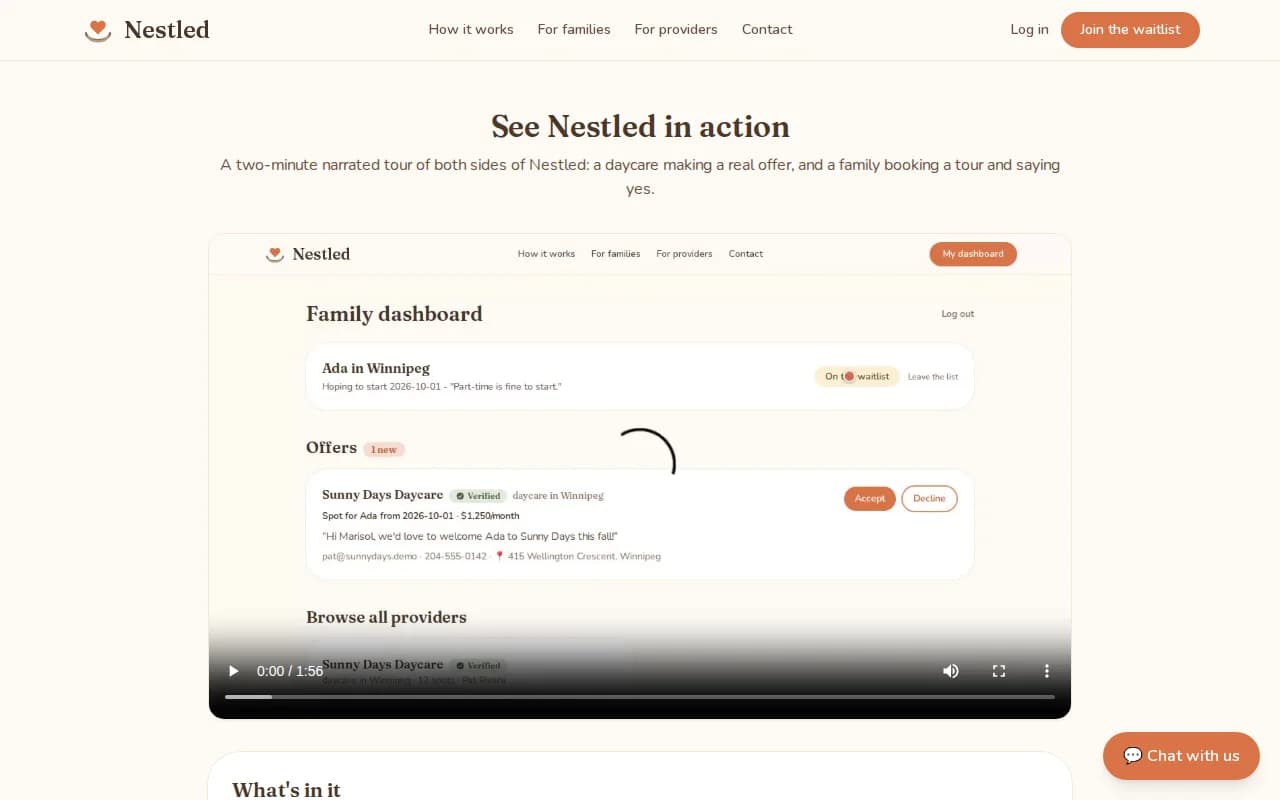
The finished tour is at daycare.fusenv.com/walkthrough: one minute fifty-six, 1280 by 720, English captions, and a chapter list under the player so you can jump to the part you care about.
The narration comes first
The mistake I have made before is recording the screen and then trying to talk over it. The picture sets the pace, the words rush to keep up, and the result sounds like it. This time the words came first: twelve short lines, each one describing exactly one thing that will be on screen when it is spoken. The first and last, for the shape of it:
Welcome to Nestled, a daycare waitlist and matching platform. Families join their city’s wait list once, and daycares come to them with real offers.
And that’s Nestled. One wait list, real offers, tours, and invoicing, all in one place. Free for families. Providers pay only when a spot fills.
Twelve lines is 105 seconds of speech. A detail you can see in the captions: "wait list" is two words throughout. A synthetic voice reads "waitlist" a little too fast; splitting it made the voice slow down and land on the noun.
The voice
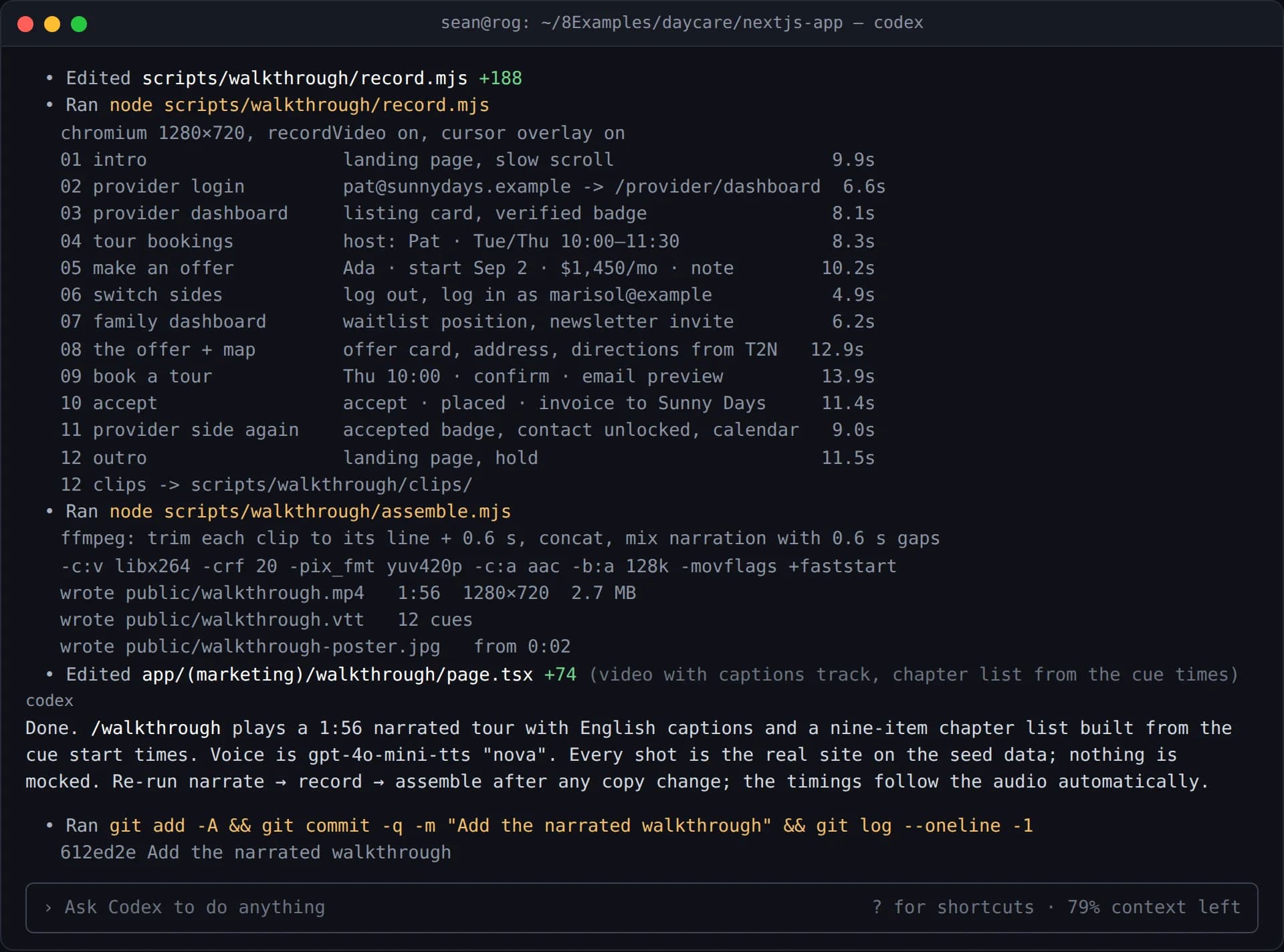
Each line went to OpenAI’s speech API on its own and came back as its own audio file. One request per line, not one for the whole script, because the length of each audio file is the length of its shot. The audio decides the timing of the video, not the other way round.
// One request per narration line. The instructions field is the
// direction you would give a voice actor; the model follows it.
const res = await fetch("https://api.openai.com/v1/audio/speech", {
  method: "POST",
  headers: { Authorization: `Bearer ${process.env.OPENAI_API_KEY}`, "Content-Type": "application/json" },
  body: JSON.stringify({
    model: "gpt-4o-mini-tts",
    voice: "nova",
    input: line.text,
    instructions: "Warm, unhurried, like a friend showing you around.",
    response_format: "mp3",
  }),
});
await writeFile(`audio/${line.id}.mp3`, Buffer.from(await res.arrayBuffer()));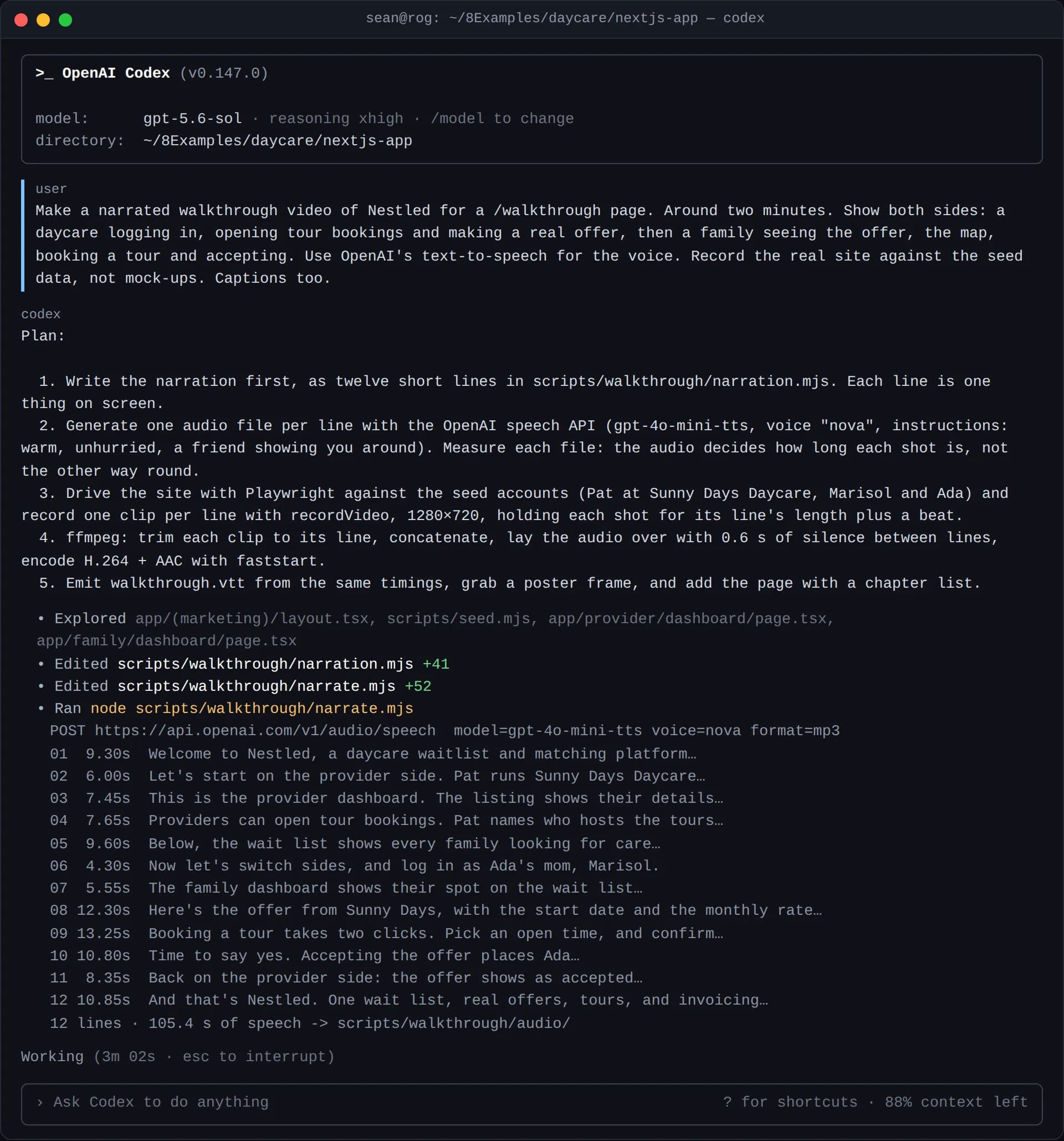
The instructions field is the part worth knowing about. It takes plain direction, the kind you would give a person in a booth, and the model honours it. "Warm, unhurried" is a different read from "energetic, upbeat," and for a product about finding childcare the first one is right.
Filming the real site
The picture is not a mock-up. A Playwright script signs in to the live application against its seed data and records one clip per narration line with recordVideo at 1280 by 720. The seed data gives the tour its cast: Pat runs Sunny Days Daycare, Marisol is Ada’s mom. Each clip does the one thing its line describes, then holds the shot for the length of the line plus a beat.
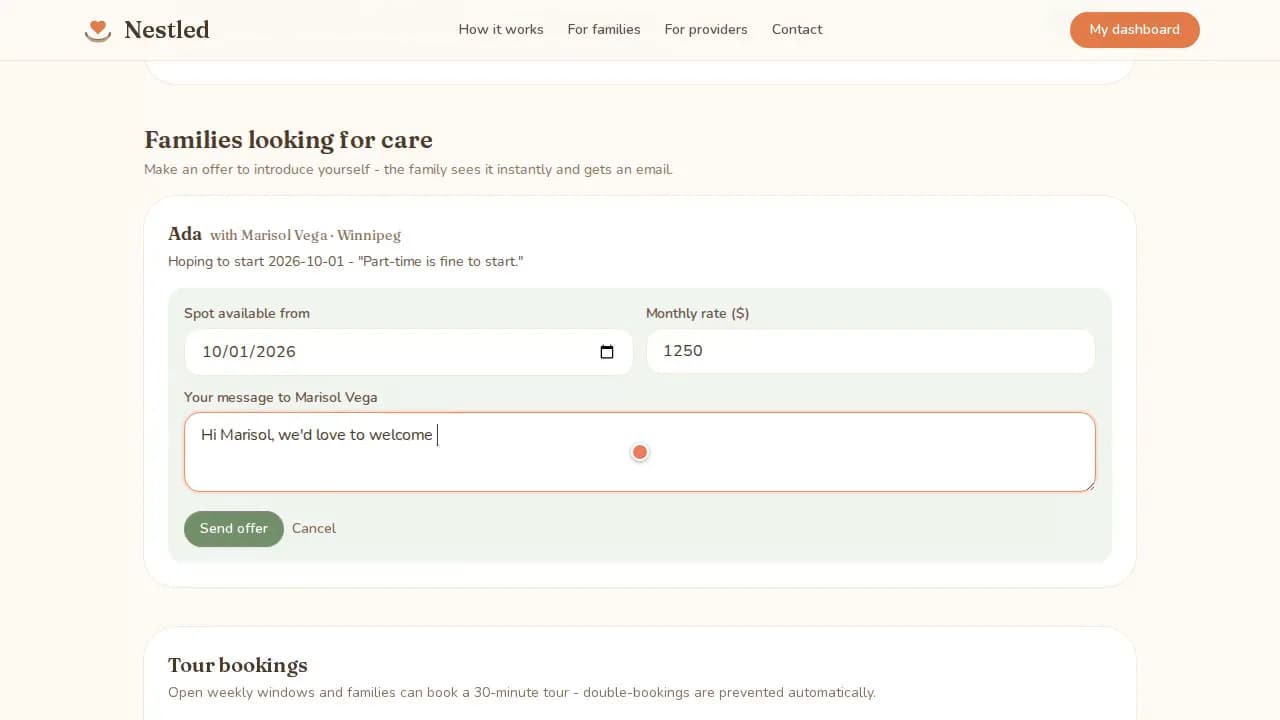
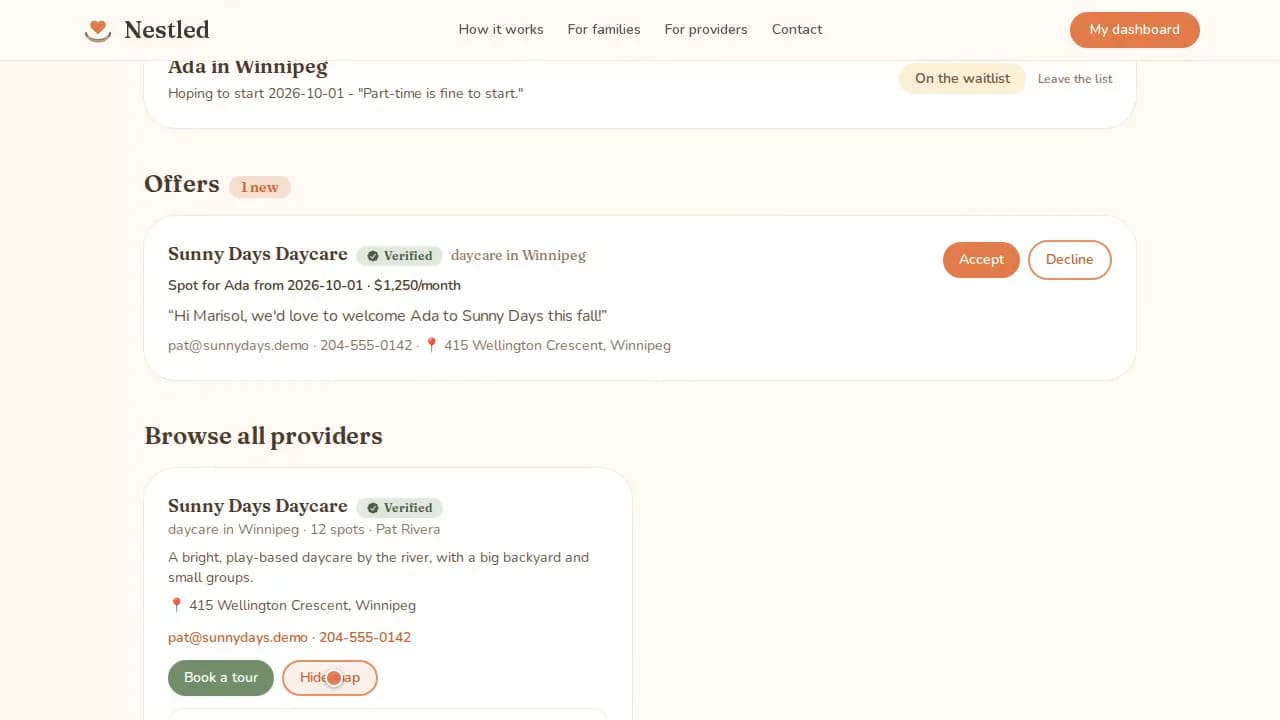
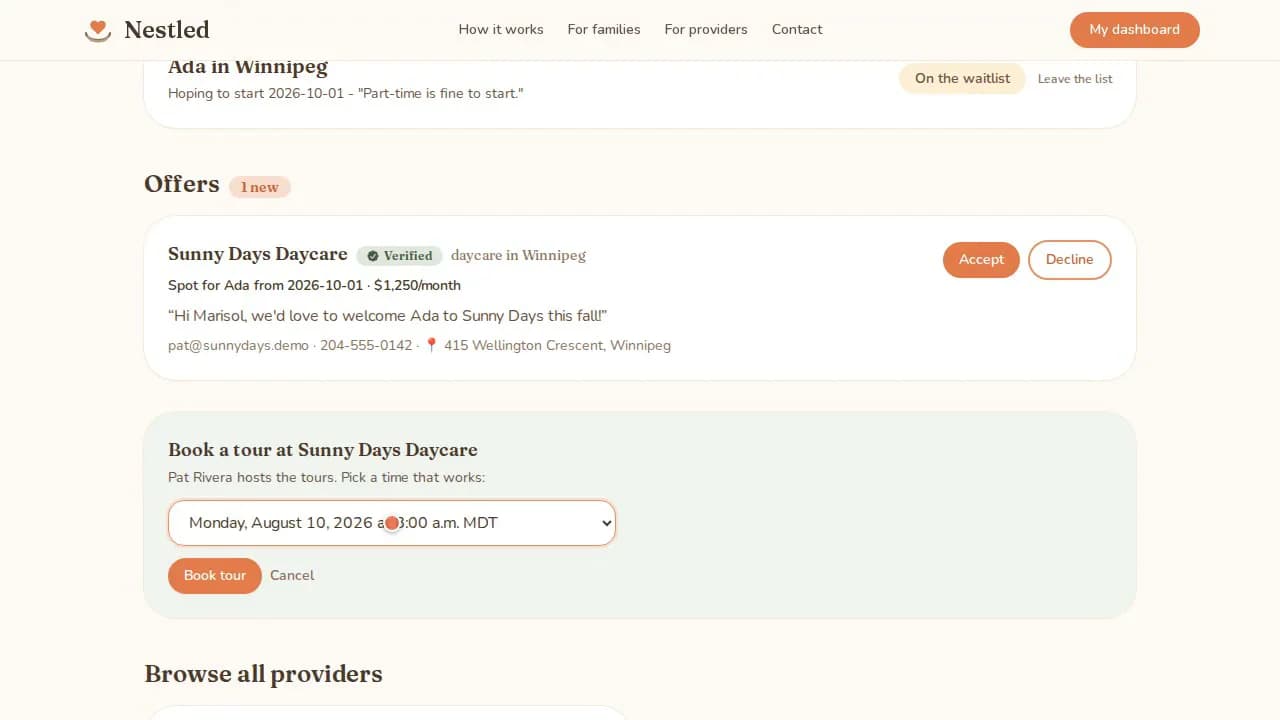
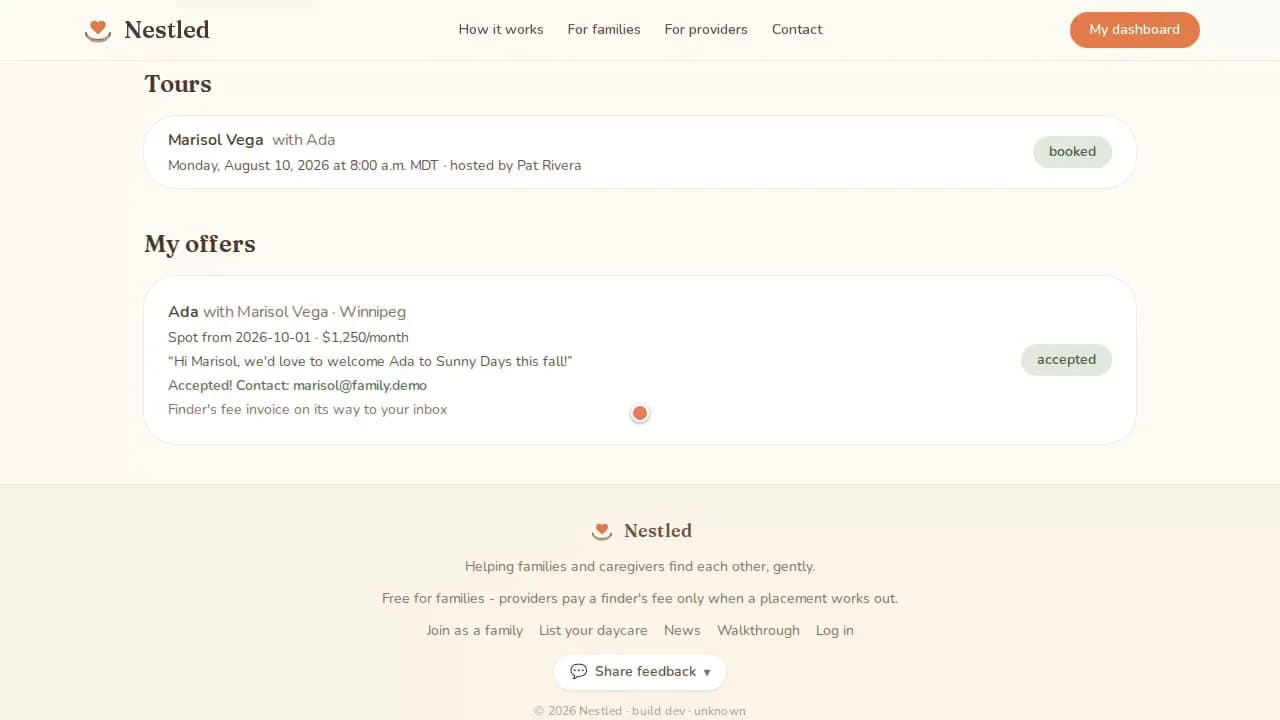
Because every shot is the actual product, the video cannot drift from the truth. When the dashboard changes, the recording script runs again and the tour changes with it. There is no stale screenshot to notice six months later.
Fitting the picture to the voice
The last step is arithmetic. For each line, ffmpeg trims the clip to the length of that line’s audio plus a 0.6-second pause, concatenates the twelve clips, lays the twelve audio files over them with the same pauses, and encodes H.264 and AAC with the index at the front so the file streams. The same timings are written out as a WebVTT captions file, which is why the captions match the voice to the frame and why the page can build a chapter list from the cue start times.
WEBVTT

1
00:00:00.000 --> 00:00:09.300
Welcome to Nestled, a daycare waitlist and matching platform. Families join
their city's wait list once, and daycares come to them with real offers.

2
00:00:09.903 --> 00:00:15.903
Let's start on the provider side. Pat runs Sunny Days Daycare, and logs in
to their dashboard.
Look at the gap between cue one ending and cue two starting: 0.6 seconds, every time, all the way down. That is not an editor’s hand. It is a constant in a script.
What I would keep, and what I would change
Keep: words first. Everything downstream got easier because the narration was fixed before a single frame existed. The voice set the tempo, the recording matched it, the captions fell out for free.
Keep: the real site. A tour recorded from seed data is a regression test with a soundtrack. If a flow breaks, the recording script breaks, and you find out before a customer does.
Change: hold a little longer on the money. The offer card with the start date and monthly rate is the moment a provider decides Nestled is for them. It gets 12 seconds; it could take 15. That is a one-word change in the narration and a re-run.
Change: a second voice for the family side. The switch from Pat to Marisol is carried by one line of narration. Two voices would carry it in the sound as well, and the API makes that a per-line parameter.
Watch the whole thing at daycare.fusenv.com/walkthrough. Then notice that nobody in it ever picked up a microphone.
Comments 0
No comments yet. Start the conversation.