The iPad Pro Is the Terminal, Not the Workstation
For years the iPad has sat in a strange place for developers. Absurdly powerful hardware, an excellent display, a Magic Keyboard that makes it look suspiciously like a laptop, and then you try to actually build software on it and the whole thing falls apart. My answer is to stop trying.
I do not use the iPad as the development machine. I use it as the interface to my development machines.
An iPad Pro, a good remote desktop client, a VPN back to my own network, and powerful computers running somewhere else add up to a genuinely capable mobile development setup. Not a compromise version of my desk. The actual thing, viewed through a thinner window.
The iPad does not need to run any of it
The iPad does not need Docker, .NET, Node, databases, IDEs, or AI agents. Those workloads run elsewhere. The iPad’s job is to be an excellent interface to them.
┌───────────────────────────┐
│        iPad Pro           │
│     + Magic Keyboard      │
└─────────────┬─────────────┘
              │
              │ VPN / Remote Desktop
              ▼
┌───────────────────────────┐
│   Development Machines    │
│                           │
│   IDEs                    │
│   Docker                  │
│   AI Coding Agents        │
│   Source Code             │
└─────────────┬─────────────┘
              │
              ▼
┌───────────────────────────┐
│   Remote Infrastructure   │
│                           │
│   OpenClaw Instances      │
│   APIs / Gateways         │
│   Cloud Infrastructure    │
└───────────────────────────┘
That distinction matters, because it changes the question you are trying to answer. The usual framing is how do I reproduce my entire development environment inside iPadOS? That is a hard problem and mostly an unrewarding one. The better question is how do I securely reach the development environment I already have? That one is nearly solved already.
From the iPad I pick a machine and connect to it. A desktop tower, a handheld, a server in the rack. Whatever the work needs that day.
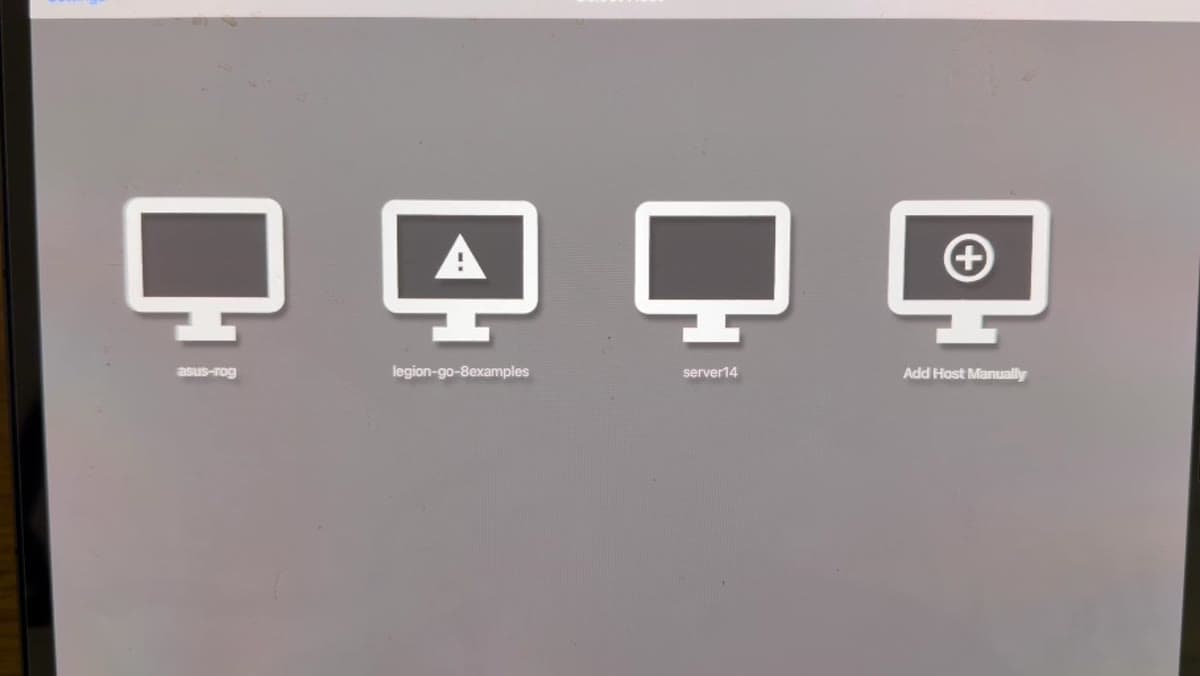
What you get is the real environment
Once connected I am looking at a real desktop operating system, not an approximation of one. The same IDE, the same terminal sessions, the same Git repositories, the same running containers, the same local dev servers, the same dotfiles and the same window layout I left there.
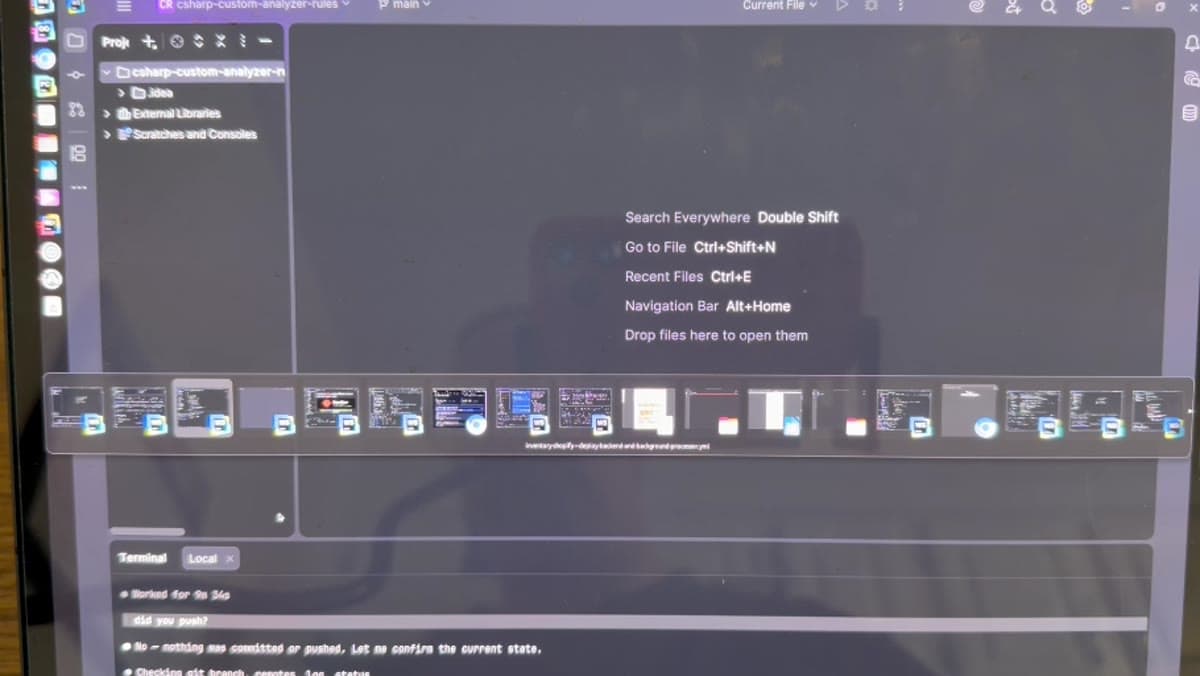
None of that compute is happening on the iPad, which is exactly the point. The tablet is sending keystrokes, trackpad movement, and the occasional tap, and receiving pixels.
The Magic Keyboard is doing more work than it looks like
A large iPad Pro in a Magic Keyboard is a meaningfully different device than an iPad with a Bluetooth keyboard propped next to it. You get a real keyboard, a trackpad, familiar shortcuts, a laptop-shaped object that opens and closes, touch input for the cases where touch is genuinely better, all-day battery, and cellular on the models that support it.
The trackpad is the part that matters most here. You are driving an operating system built around a pointer, so precise pointer control is not a nicety. Touch stays useful for scrolling and the occasional grab, but most of the time I interact with the remote desktop as though I were sitting in front of the machine.
Getting back to the machines: the VPN
Remote desktop is only interesting if I can reach the machines from outside the house, and the way to do that is not to expose development services to the public internet. The machines stay on a private network and the iPad joins that network over an encrypted VPN.
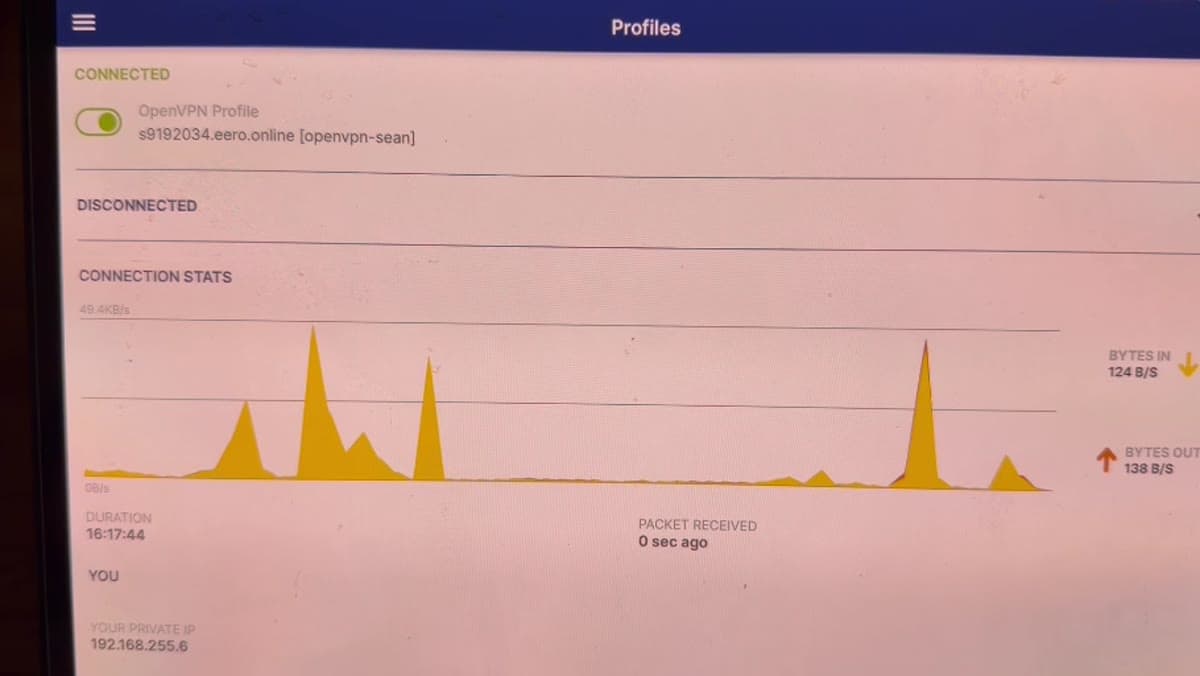
The effect is that I can move between networks, coffee shop, hotel, cellular, and still reach machines that think I am on the same private network they are. For a mobile setup that is the whole ballgame. There is no port forwarding, nothing published, and nothing to find by scanning.
Why not just carry a laptop?
Fair question, and for a lot of developers a laptop is the simpler answer. But the iPad is a device I already want with me for other reasons: reading, browsing, drawing, notes, media, messaging. Adding remote development to it does not cost me another bag or another charger.
The reframe that made this click for me was going from my iPad needs to replace my workstation to my workstation can be wherever I want it to be. Those are very different projects. The second one is mostly a networking problem.
AI agents change what the interface has to do
This is where the setup stops being a party trick. Traditional remote development assumes a human typing more or less constantly, so latency and input fidelity dominate the experience. Agentic development changes that ratio. Increasingly my job is to describe, review, and redirect while the agent reads the repository, edits code, runs tests, reads the failures, searches around, and tries again.
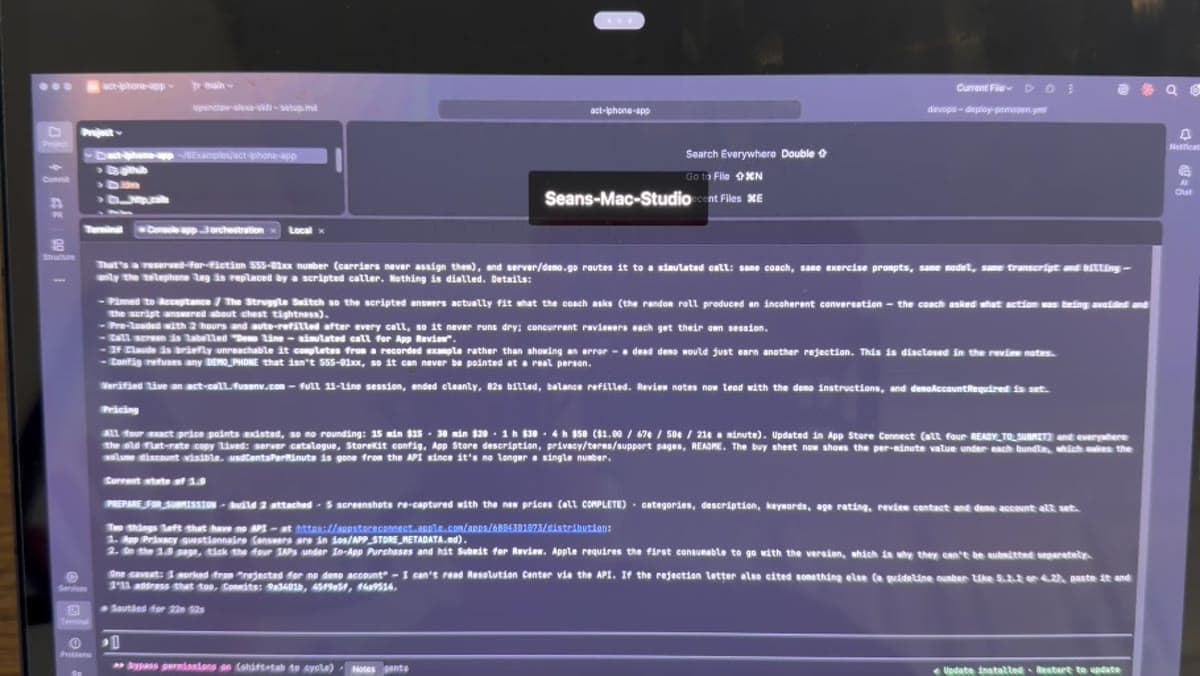
Supervising that does not require a workstation in front of me. It requires a good way to read what happened and say what to do next. An iPad is a very good way to read something.
Note the bottom of that screen, incidentally: the agent is running with permission prompts turned off. That is the mode where this pays off, and also the mode where you want it pointed at a repository you can throw away.
The infrastructure question underneath
Some of what I am building is OpenClaw, a self-hosted AI agent platform. One instance is not hard to run. Dozens or hundreds of isolated instances is a different conversation: RAM, CPU allocation, container isolation, networking, storage, authentication, gateways, provisioning, monitoring, and multi-tenancy all arrive at once.
The arithmetic gets your attention quickly.
100 OpenClaw instances
        ×
   ~6 GB RAM each
        =
   ~600 GB RAM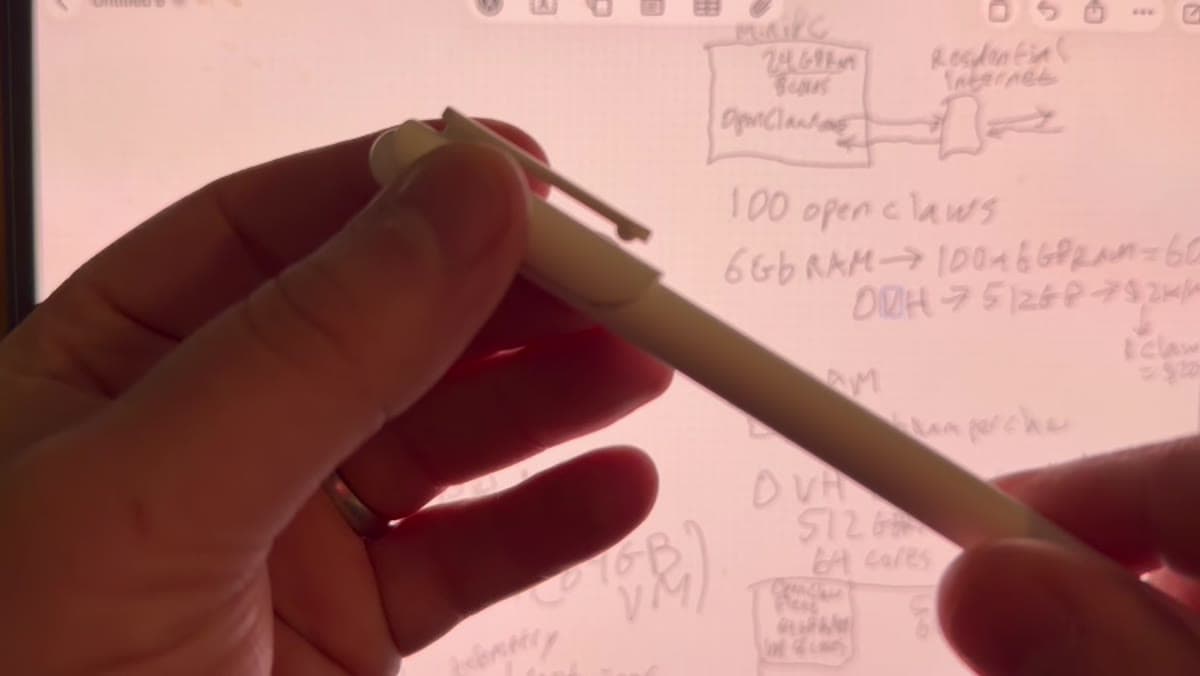
It does not follow that all 600 GB is resident at once, and in practice it is not. But it does show why architecture starts to matter the moment you move past running one agent on a spare computer. You can buy one enormous machine, spread the load across several, or push it into infrastructure where capacity is allocated dynamically. I went through those options in detail in how I host 100+ OpenClaw instances without paying for 100 servers.
Giving an agent a phone number
One of the projects sitting open in those screenshots takes the separation idea a step further. Instead of reaching an agent only through a web UI or a chat client, there is a phone gateway.
                Phone Call
                    │
                    ▼
             ┌─────────────┐
             │Phone Gateway│
             └──────┬──────┘
                    │
                    ▼
             ┌─────────────┐
             │  OpenClaw   │
             │    Agent    │
             └──────┬──────┘
                    │
                    ▼
                LLM / Tools
Somebody calls a number. The gateway connects that conversation to an OpenClaw instance. The model conducts the conversation while the agent keeps its normal tools, so it can go and actually do the thing rather than just talk about it.
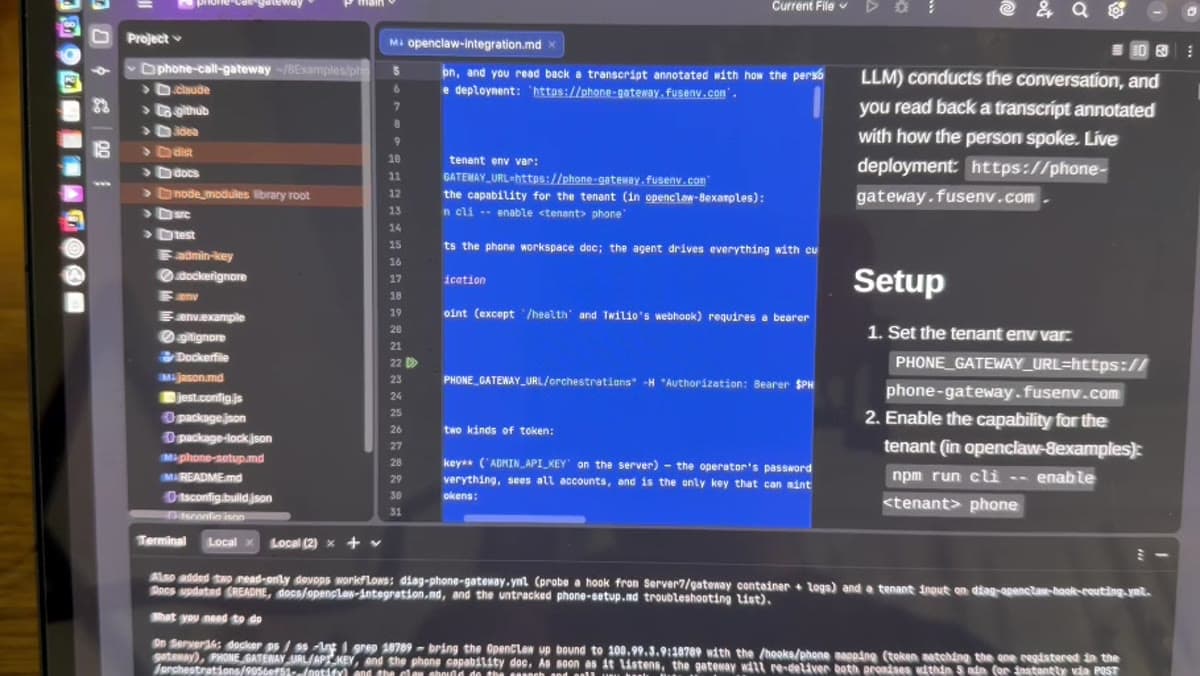
Voice is interesting mostly because of what it removes. Opening a laptop, finding the app, finding the right agent, and typing a request is perfectly fine when you are already working. It is friction when you are not. Being able to ring your agent and ask whether the deployment finished, or what changed in the project today, or what is going on with the server, is a different relationship. It stops feeling like using a chatbot and starts feeling like calling somebody.
The pattern is the same one every time
Everything above is one idea applied repeatedly: the device in your hands does not have to be the device doing the work.
The interface to an agent does not have to be the machine hosting the agent. The machine hosting the agent does not have to be running the model. Each piece lives wherever it makes the most sense, and gets swapped without disturbing the others.
┌──────────────┐
│    Human     │
└──────┬───────┘
       │
       ├──── iPad
       ├──── Phone
       ├──── Browser
       └──── Other Interfaces
              │
              ▼
       ┌──────────────┐
       │ AI Agent /   │
       │   OpenClaw   │
       └──────┬───────┘
              │
       ┌──────┼──────────┐
       │      │          │
       ▼      ▼          ▼
     Tools   APIs      Servers
              │
              ▼
             LLM
So, is an iPad Pro good for software development?
If the question is can an iPad natively replace a Linux or macOS development workstation, then for my work, no. But I do not use it that way and I do not want to.
If the question is can an iPad Pro be an excellent portable interface to a full development environment, then yes, comfortably. Between fast remote desktop clients, cellular iPads, cheap capable home servers, VPNs that just work, and agents that do the typing, this is getting better every year rather than worse.
Stop asking how to fit the workstation into the tablet. Ask how to reach the workstation from anywhere, then let each device do the one thing it is good at.
My development environment stays exactly where it is, with its RAM and its cores and its containers. The iPad just lets me take the window with me.
Comments 0
No comments yet. Start the conversation.