Self-hosting · GitHub Actions · CI costs
I Bought a Mini PC to Cut $120/Month in GitHub Actions Costs
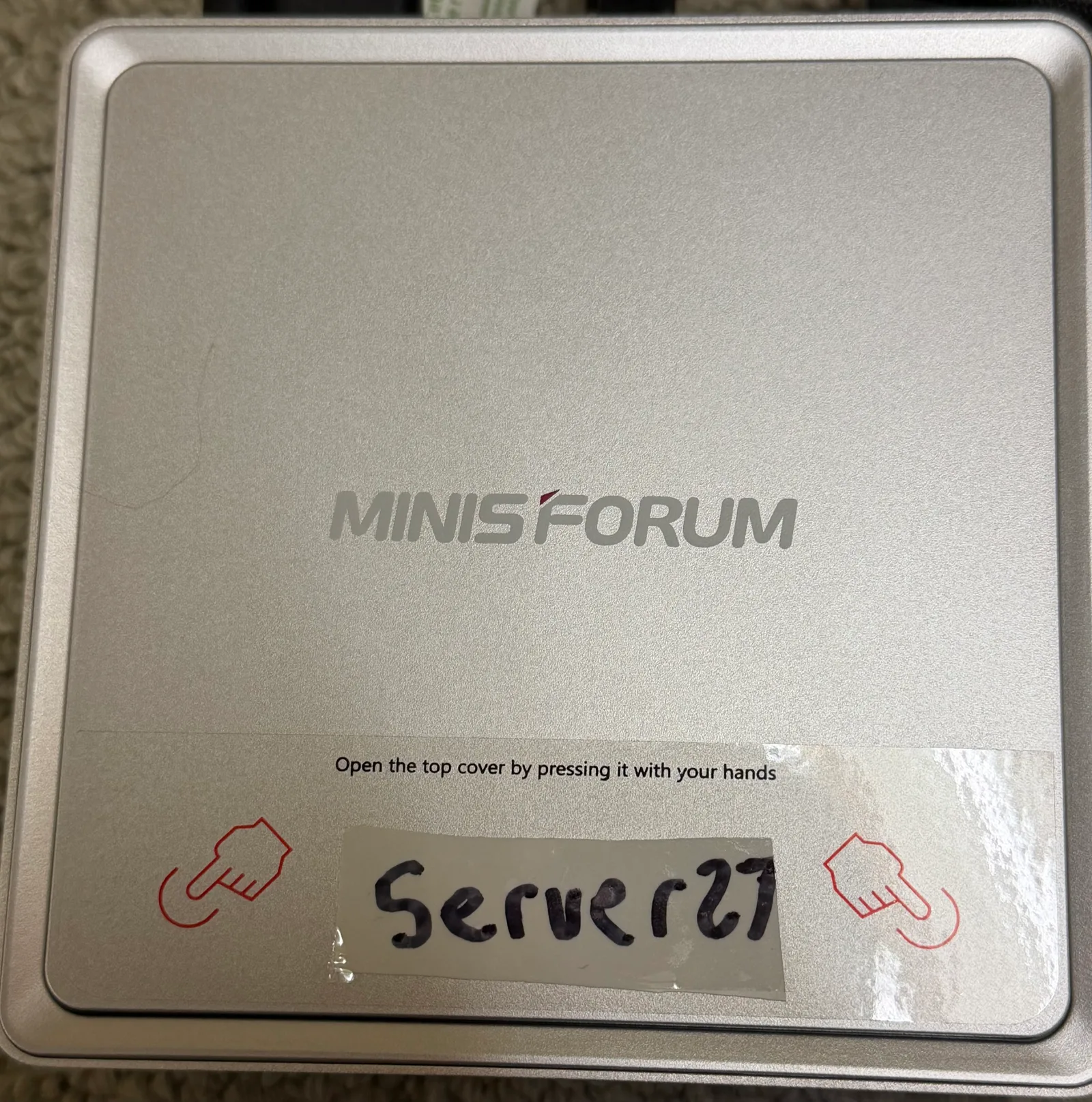
I bought a MINISFORUM mini PC with an Intel Core i9, 14 cores, 20 threads and 32 GB of RAM, named it Server27, and gave it a job: take work off GitHub-hosted runners so I can save the roughly $120 a month I was spending on Actions minutes.
The first useful jobs are already running there. Getting the full benefit takes more than buying the hardware: most of my repositories still belong to my personal GitHub account. To share a manageable pool of runners across them, I need to move those repositories into the 8examples organization.
This is the setup after the November 14–15 rollout: what moved, how I registered the runners, the YAML change that sends work to them, and the limitations I ran into. The $120 is the monthly saving I am aiming for. I have not yet measured a full billing month after the migration.
The small jobs were worth moving first
I expected builds to be the obvious place to start. The audit also found a lot of short, frequently repeated helper jobs: checking deployment configuration, finding which server owns a site, preparing a move, updating routing, and making API calls. Some did only seconds of work, but ran often across many workflows.
The first devops change moved 14 jobs across nine workflow files onto Server27. The run-history audit estimated that this group represented roughly 13,600 hosted minutes per month. That is an extrapolation from prior runs, not a measurement from a new invoice.
Tests and deployment-trigger jobs in restaurant-aggregator, automotive-aggregator and finance_blog followed. The restaurant project also moved its postcard-sending job. Their large Docker image builds stayed on GitHub-hosted machines because upload speed became the limiting factor.
01 / The current job routing
Push, schedule or manual run
GitHub reads the workflow and queues each job
↓ Job dependencies, runner access and labels
SELF-HOSTED · LINUX · X64 · SERVER27
Server27
Selected helper jobs, tests and deployment triggers
The devops repo has three services here. All share the mini PC’s CPU, RAM and connection.
UBUNTU-LATEST
GitHub-hosted runners
Large Docker image builds and uploads that still benefit from the hosted connection
Other deployment jobs keep their existing fleet-host labels.
↓ Job results return to GitHub
The billing distinction matters. GitHub currently does not charge Actions compute usage for self-hosted runners; I supply that compute. Standard GitHub-hosted runners for public repositories are also free, so the cost opportunity here is paid hosted usage on private projects. Artifact and cache storage have their own billing rules. See GitHub’s Actions billing documentation.
My actual saving will be avoided hosted charges minus electricity, hardware cost and the time I spend keeping the machine useful. Buying a box does not make those costs disappear, and a partial migration cannot remove the entire bill.
Registering runners on Server27
A runner is a service that accepts jobs from GitHub and executes them on this machine. I can run several services on one computer, each with its own registration and working directory. For devops, I added three repository-specific runners alongside the organization runners already on Server27.
1. Choose the registration scope
For a repository under my personal account, I open that repository’s Settings → Actions → Runners → New self-hosted runner, then select Linux and x64. GitHub provides the download and configuration commands, including a short-lived registration token. The corresponding organization settings create an organization runner instead. GitHub documents both paths in Adding self-hosted runners.
The URL supplied during configuration is significant. https://github.com/8exgh/devops registers a runner for that repository. https://github.com/8examples registers it for the organization. Putting both on the same physical computer does not combine their access.
2. Give each instance its own directory and service
In ~/8Examples/self-hosted-runners, I have an install-repo-runners.sh helper for this repetitive part. It checks for Linux x64 and the tools these jobs use, downloads the runner, configures the repository URL and custom server27 label, and installs a systemd service.
The helper defaults to two instances; the devops setup ended up with three. These are the settings for that arrangement, run on Server27 with the helper already present and a registration token obtained from GitHub:
read -rsp 'Registration token: ' RUNNER_TOKEN
echo
export RUNNER_TOKEN

REPO=8exgh/devops LABEL=server27 COUNT=3 \
  bash install-repo-runners.sh

unset RUNNER_TOKEN
The script gives each instance a name such as server27-1 and a directory such as ~/actions-runner-8exgh-devops-1. Inside each directory, the configuration and service installation have this shape:
./config.sh --unattended \
  --url https://github.com/8exgh/devops \
  --token "$RUNNER_TOKEN" \
  --name server27-1 \
  --labels server27 \
  --work _work

sudo ./svc.sh install "$USER"
sudo ./svc.sh start
That second snippet explains what the helper does; it is not an extra registration to run after the first one. Each instance needs its own extracted runner directory. For another personal-account repository, I need a token for that repository and a separate registration. An organization registration is the way to share a pool across eligible organization repositories.
The initial helper pins runner version 2.338.2 and accepts a RUNNER_VERSION override. For a new installation I would use the version and verification instructions currently offered by GitHub, then check that each service appears Online in the intended repository or organization.
Tell the YAML which runner to use
Registering the service is only half the setup. A job that still says runs-on: ubuntu-latest continues requesting a GitHub-hosted runner. I changed the selected jobs to ask for Server27’s labels:
# Before
runs-on: ubuntu-latest

# After
runs-on: [self-hosted, linux, x64, server27]
All four labels must match an accessible runner. self-hosted, linux and x64 describe the runner type and platform; server27 is my custom label. A label selects a runner that the repository can already use. It does not grant access across account boundaries. This is the selection behavior described in GitHub’s workflow routing guide.
For example, the deployment-configuration check now starts like this. The validation steps that follow still check for duplicate container names and host ports:
jobs:
  check-uniqueness:
    name: Check container names and ports are unique
    runs-on: [self-hosted, linux, x64, server27]
    steps:
      - uses: actions/checkout@v4
      # Existing validation steps follow here.
I also moved that check’s temporary files from shared paths under /tmp to $RUNNER_TEMP. Multiple jobs can now run on the same host, so a fixed temporary filename can make otherwise unrelated runs interfere with each other.
Before merging the first batch, I exercised workflows on the new runners and checked their results. I make this decision per job: a deployment step that must operate on another fleet server keeps that server’s labels. For a reusable workflow, the runner choice belongs inside the called workflow’s executable job.
The big remaining drawback: repository ownership
My personal account is 8exgh. The organization is 8examples. GitHub’s repository-level runners serve one repository, while organization runners can serve multiple repositories owned by that organization, subject to access policy. An organization runner on Server27 cannot pick up a job from 8exgh/devops just because I own both accounts. See GitHub’s runner scopes.
02 / Why repository ownership matters
NOW · PERSONAL ACCOUNT
8exgh repositories
Same physical Server27. Each registration can serve only its own repository.
PLANNED · ORGANIZATION
8examples repositories
↓ Matching workflow labels
A bounded pool can accept jobs from multiple authorized repositories.
Separate repository registrations got the highest-volume projects moving quickly. Repeating that approach across hundreds of repositories would leave me with hundreds of runner installations and background processes to manage. The audit found 381 site repositories in the remaining workload. A 32 GB mini PC is not a sensible place to run a permanent service for every one of them.
I need to move the repositories I want to share this capacity into the organization, configure which repositories can use the runner group, and update their workflows. Then a bounded set of organization runners can accept work from the shared queue. Pool size can follow actual CPU and memory demand instead of repository count.
The transfer is its own migration. I need to check hard-coded owner/repo references, cross-repository checkouts and dispatches, package image names, credential access, and organization policies. GitHub redirects many repository URLs after a transfer, but that does not establish that every integration still has the right permissions. The repository transfer documentation is part of that checklist.
What the mini PC does not solve
Upload speed can outweigh CPU speed
During the rollout, Server27’s upload connection was about 6 Mbps, and Docker image pushes were observed taking roughly ten times as long as on the hosted runners. Those are measurements from that setup, not a general benchmark for MINISFORUM computers.
This is why the three application repositories use Server27 for selected tests and deployment triggers while their image builds remain hosted. A local build cache can reduce repeated work, but changed image layers still have to cross the connection. Faster local computation does not guarantee a faster deployment.
Three runners still share one computer
Each runner service accepts one job at a time. Three services give devops three possible simultaneous jobs, but they share the same 14 cores, 20 threads, 32 GB of RAM, disk and network with the other runners. Twenty CPU threads do not mean twenty heavy builds will fit comfortably.
There is also a scheduling trap: one orchestration job can wait for hours for another workflow to finish. If waiting jobs fill every available slot, the jobs they depend on cannot start. I left the long-waiting move job out of this pool for that reason.
I own the operating environment now
A GitHub-hosted Ubuntu image comes with a large toolset. My server needs the tools each migrated job expects: shell utilities, runtimes, browser dependencies, and Docker where a job requires it. I also own OS updates, disk cleanup, cache growth, reboots and service health. A power or network outage can leave jobs waiting for a matching runner.
A persistent workspace changes assumptions, too. Old build files can survive between runs, and different jobs may compete for ports or shared files. Separate runner directories help organize work, but they are not isolated virtual machines.
A job is code running on my machine
I need to be careful about which repositories and contributors can send work here. Untrusted pull-request code on a persistent self-hosted runner can compromise the host or credentials available to later jobs. Adding a custom label does not create a security boundary. GitHub’s secure-use guidance explains why this is especially risky for public repositories. Repository access and the runner’s operating-system permissions need deliberate limits.
The next savings come from organizing the repositories
Server27 now has useful work: frequently repeated helper jobs, selected test suites and deployment triggers. GitHub still coordinates the workflows and presents their logs. The mini PC supplies compute for the jobs I have moved.
My next substantial step is the organization migration. I want one manageable pool that all the appropriate repositories can use, followed by a month of actual billing and capacity measurements. I will keep the upload-heavy jobs hosted until moving them also makes operational sense.
That is the trade I made to work toward saving $120 a month: I bought compute I can reuse, and accepted responsibility for scheduling, access, maintenance and availability. The hardware was the straightforward part. Arranging the repositories so they can share it is what makes the purchase useful across the whole business.
Have repetitive work your software should handle?
At 8Examples, I build websites, custom software and automation. Tell me what runs repeatedly, where it gets stuck, and what it costs you.
Discuss a project →
Comments 0
No comments yet. Start the conversation.